Budgets
A budget per category, without keeping count yourself
Decide what a month of groceries, eating out or clothes may cost, and see during the month how much of it is used. Linkly does the counting, from the payments your bank already has.
What a budget per category is
A budget is an amount you give one kind of spending for a month: €400 for groceries, €100 for eating out. During the month you compare what you spent with that amount.
It answers one question: am I on track this month, or do I need to hold back for the rest of it?
How people keep one today
There are a few common ways, each with its own catch.
- Envelopes or jars with cash: clear, but most payments today are by card or phone.
- A spreadsheet: you set it up your way, and then you type in every payment yourself.
- Several bank accounts, one per purpose: you move money around and still have to look at each one.
- An app that reads your bank: little work, as long as each payment lands in the right category.
Where it goes wrong
Setting the amounts is quick; keeping them up to date is the hard part.
- You only find out at the end of the month that the budget was used up halfway through.
- A transfer to your own savings counts as spending, and the budget looks used up when it is not.
- A payment without a clear category falls outside every budget, and nobody notices.
- A guessed amount that never matched your real spending.
How budgets work in Linkly
Linkly is still in development. This is what it does today; the screenshots show sample data.
Start from your last three months
Under Insights › Budgets you see each category you spent money on, with what it cost in each of the last three full months and a proposed amount. You tick the ones you want, change an amount if you like, and save once. Nothing is ticked for you.
- A main category such as Food & drinks, or one inside it such as Groceries
- A new amount counts from this month on; earlier months keep theirs
- The same on your phone
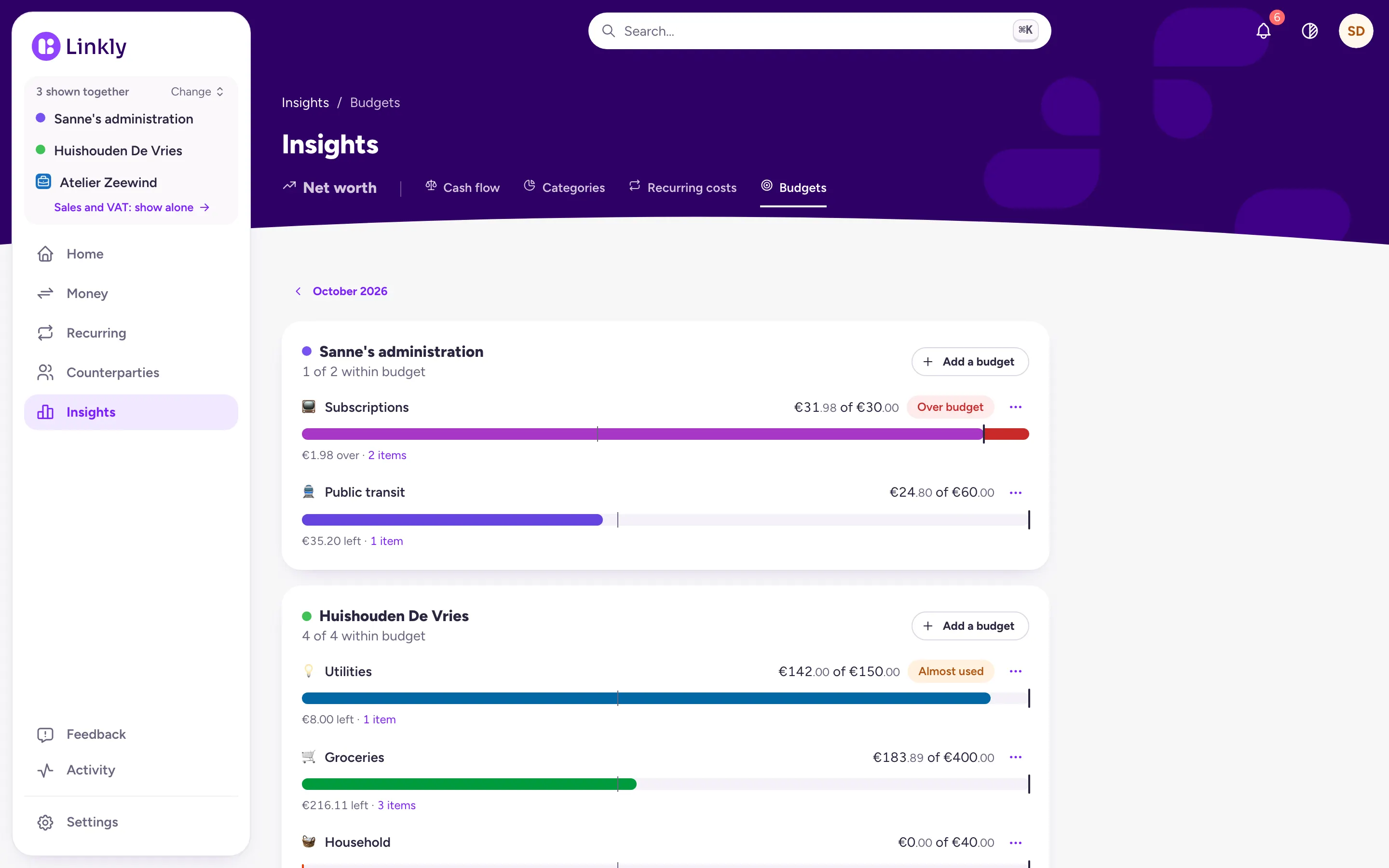
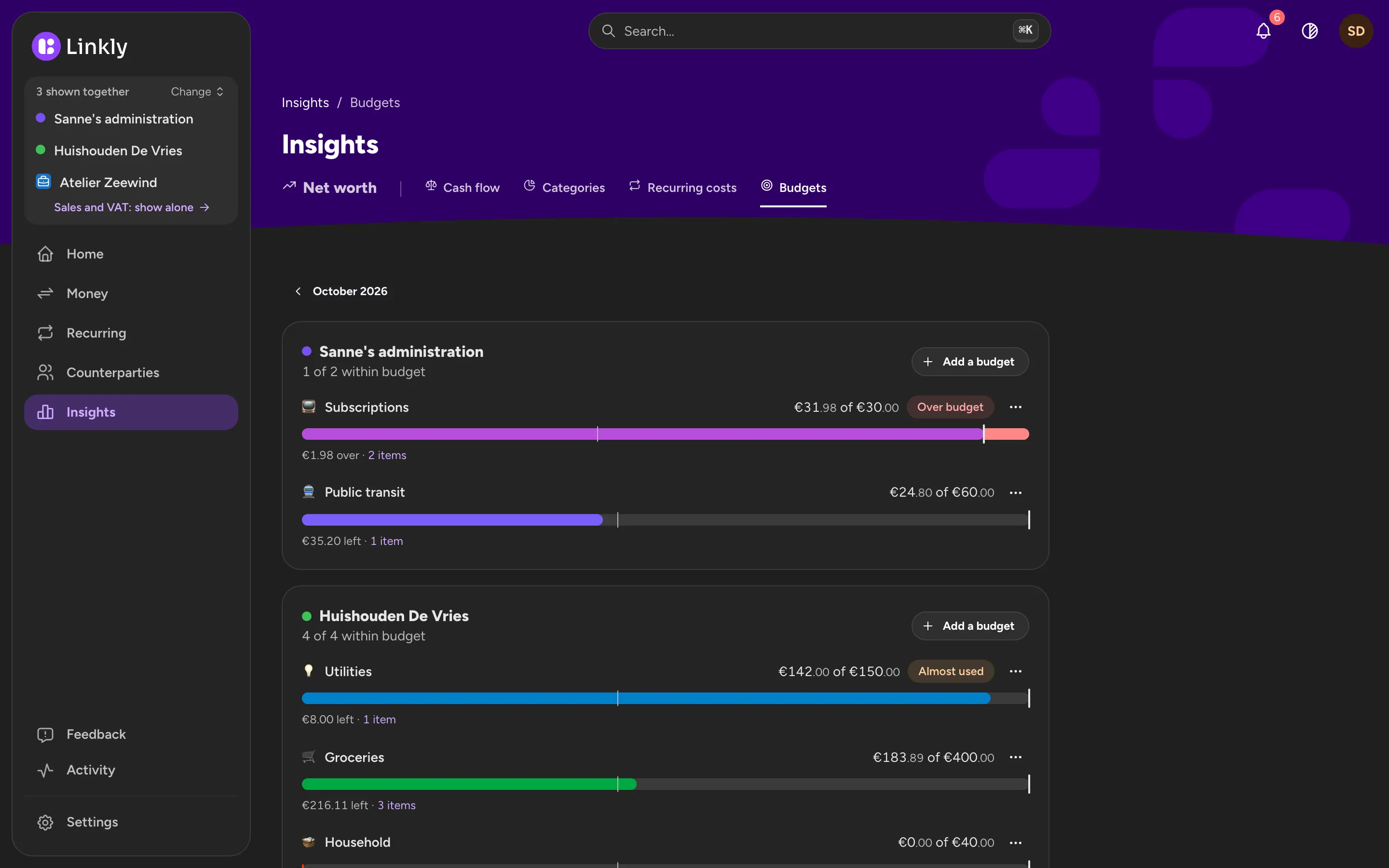
Used, left and over, as the month goes
Each budget shows what was spent against its amount, such as “€412.60 of €400”, and under it what is left or over. A thin mark on the bar shows how far the month is. The spending is the same as on the Categories page, so the numbers never disagree.
- Almost used from 80%, Over budget past the amount
- “6 of 7 within budget” for the month: budgets are counted, not added up
- Home shows the ones that need a look
A warning, once
When a budget is almost used or goes over, it shows up under Attention, and your phone can tell you: once per category and month, never with an amount on your lock screen. Turn the Budgets notifications off if you would rather not get them.
- Only for the month you are in
- Nothing at night
Budgets for the household
A Household has its own budgets, and everyone in it sees them. Your Personal keeps its own next to it. When you look at both together, each shows its own budgets against its own spending; they are never added up.
- Everyone who can change the Household can change its budgets
What Linkly doesn't do yet
What is left of a budget does not carry over to the next month, and money is not moved between budgets: a budget is a line to compare with, not a pot. There are no savings goals and no week or year budgets yet. Freelance administrations have no budgets yet.
Common questions
Do I have to set a budget for every category?
No. You pick the categories that matter to you, one or ten. The rest of your spending is still in Insights as always.
What happens to money I did not use?
Nothing: the next month starts again from its full amount. Linkly does not move or save money; it only shows what you spent against the amount you chose.
Does money without a category count?
Not toward any budget. The page says how much is not categorised yet, and one tap shows those payments, so you can give them a category.
Can I use Linkly now?
Not yet. Linkly is in development and not open to everyone yet. Leave your email address and you will hear when it opens.
Hear when Linkly opens
Linkly is not open to everyone yet. Leave your email address and you will hear when it is.